Jobs helped us compare different businesses.
Instead of comparing job titles, we compared the jobs people needed to get done.
How I moved from warehouse visits to an AI-assisted purchasing workflow by understanding the real problem before designing the solution.
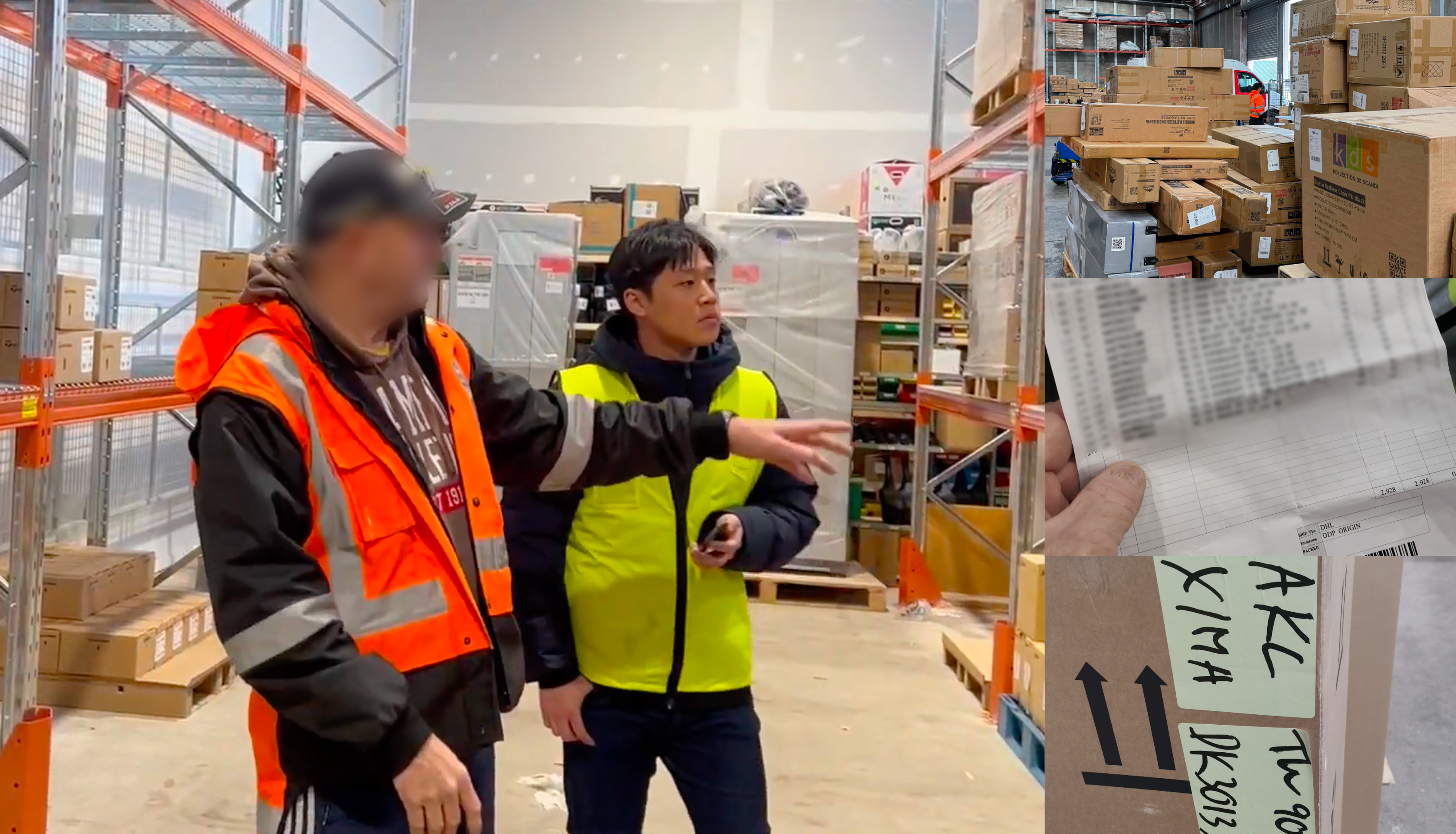
In order to understand what was happening in the real world, I visited warehouses and watched how people received stock.
I found that even with digital products, many important steps were still manual. Teams checked paper documents, compared information by hand, and moved data between different systems. The real challenge was much bigger than the feature we planned to build.
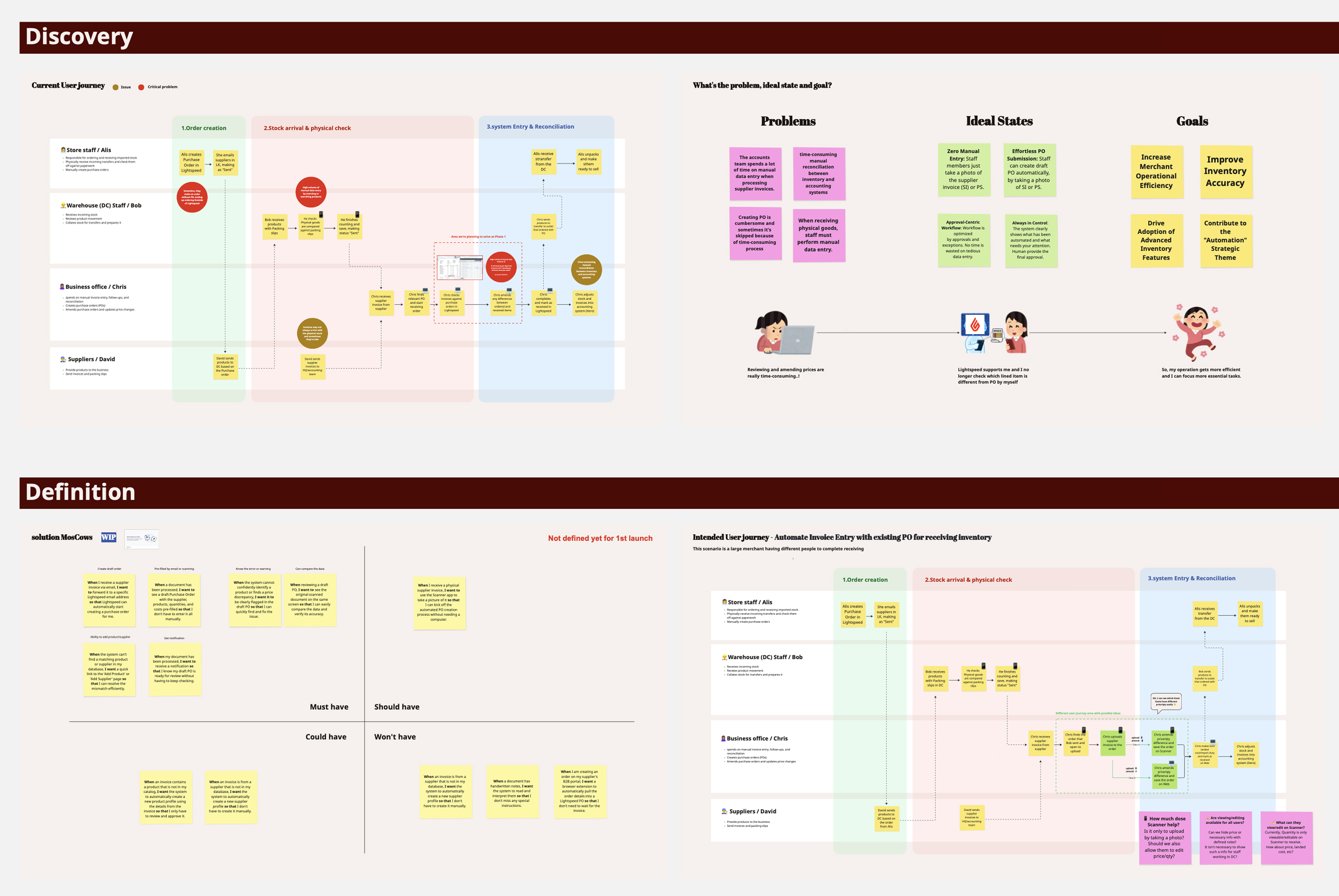
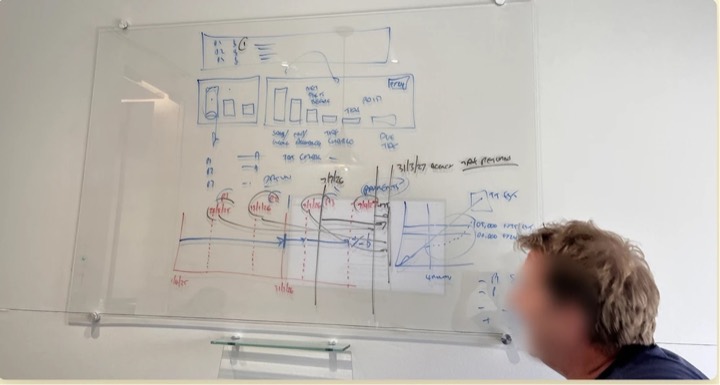
I mapped the current receiving workflow and the ideal flow with my PM. This helped us agree on where to start and what to test first.
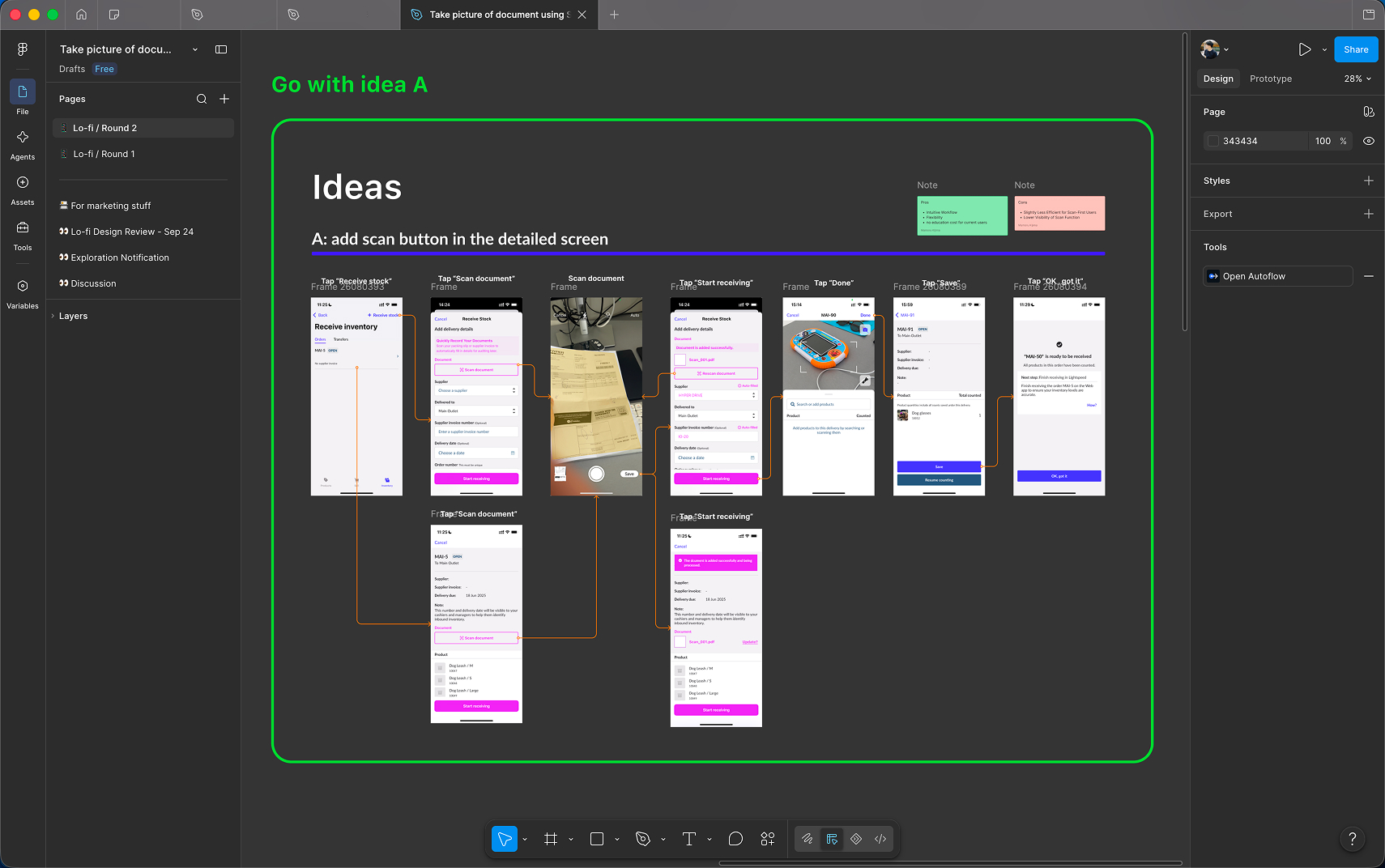
We started with document capture in Scanner because it was the fastest idea to test.
Early prototypes helped us learn quickly, but continued research showed we were solving only one part of the workflow.
Creating Purchase Orders—not receiving them—was where merchants spent the most time.
We mapped the wider ordering workflow to understand why Purchase Orders were often created outside Lightspeed.
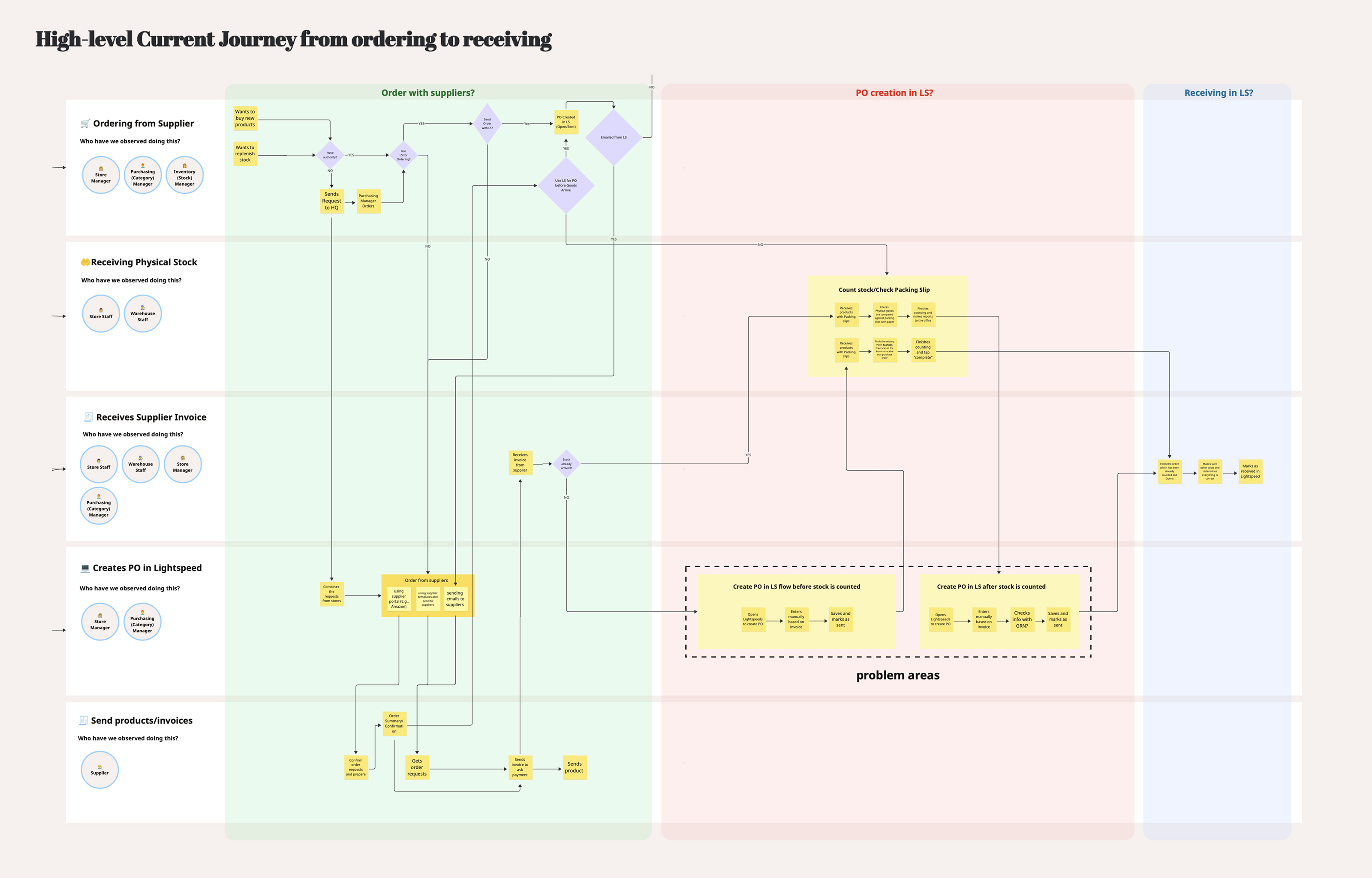
The map helped us compare different businesses using the same view, even when the people and processes were different.
Instead of comparing job titles, we compared the jobs people needed to get done.
Industry, suppliers, team size, and store setup all changed how people worked.
Many buyers skipped Purchase Orders because Lightspeed wasn't part of their ordering process.
The data showed that the bigger effort happened earlier, when merchants created Purchase Orders.
The burden increased sharply for merchants handling large catalogues and high-volume orders.
Only 30% prepared them in advance—revealing how much friction existed before receiving even began.
Every Purchase Order started with manually recreating information from a supplier document.
If we could reduce the effort to create Purchase Orders, we could improve the workflow for most merchants—not just the final receiving step.
Once we understood where merchants spent the most time, the solution could not stop at document capture. I proposed supporting the full workflow on Web, where merchants could review matches, resolve exceptions, and create an editable Purchase Order.
Rather than reuse an interface designed for a simpler task, I redesigned the experience around matching, catalogue changes, and unresolved items—the decisions merchants actually needed to make.
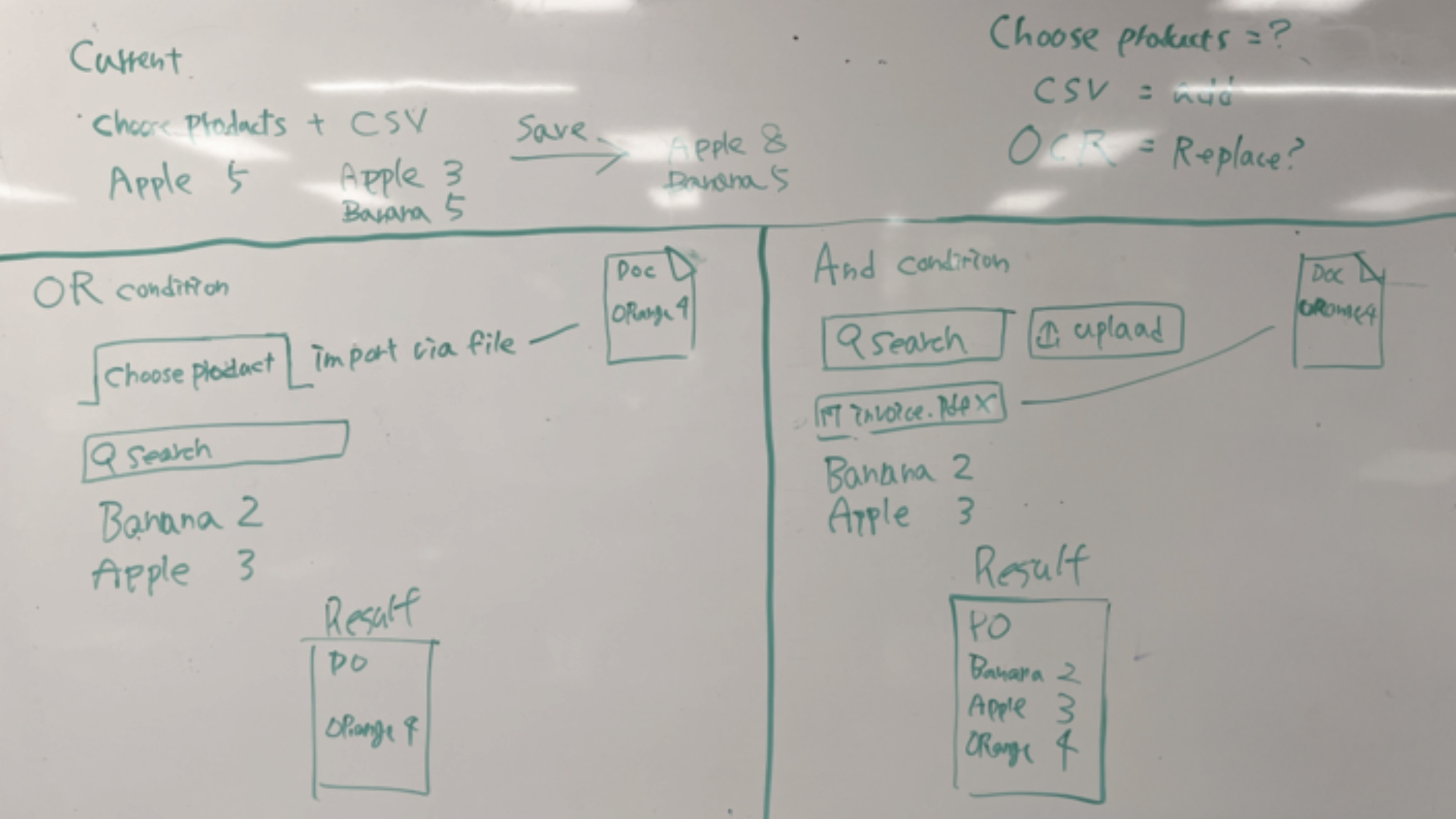
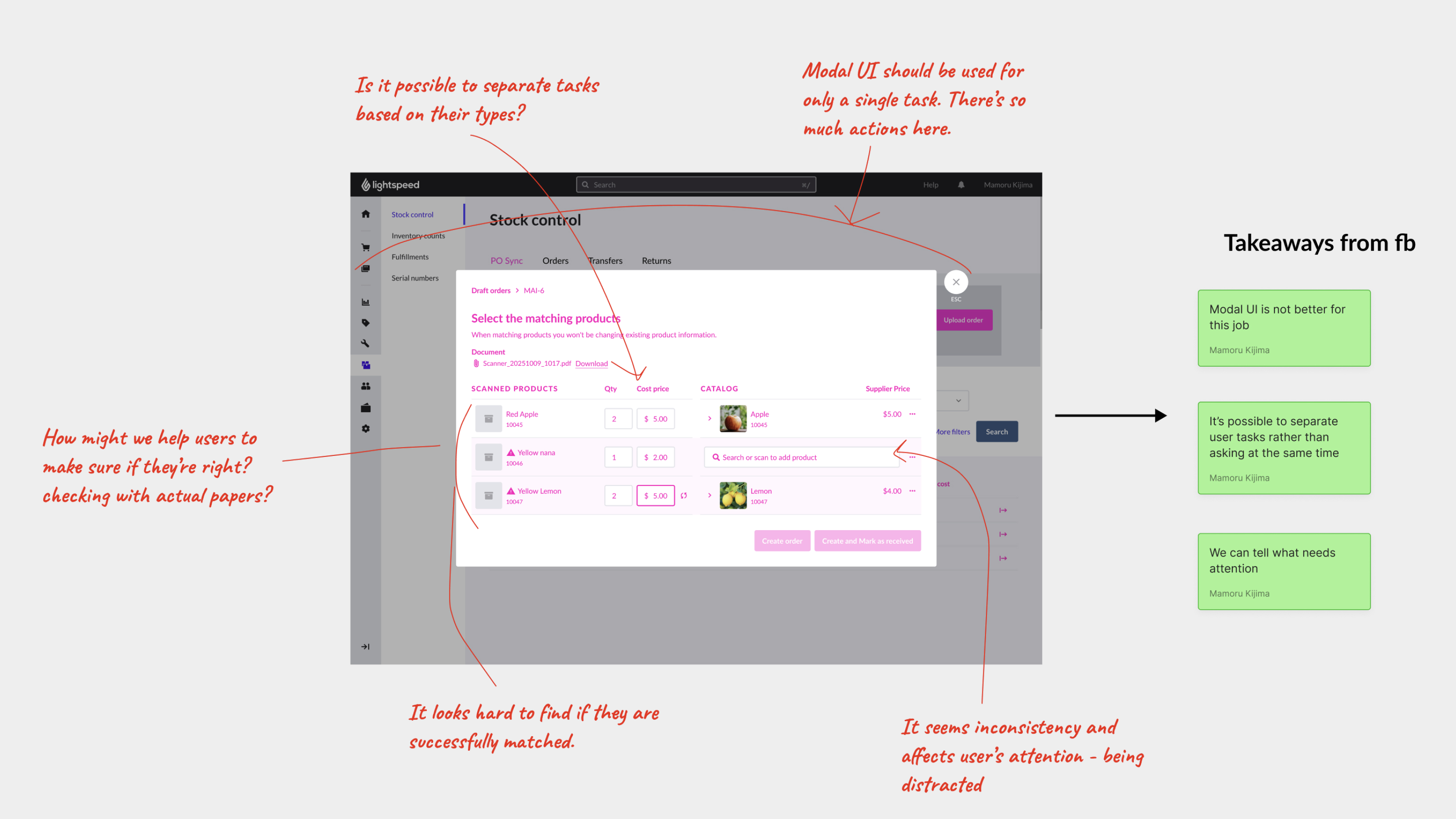
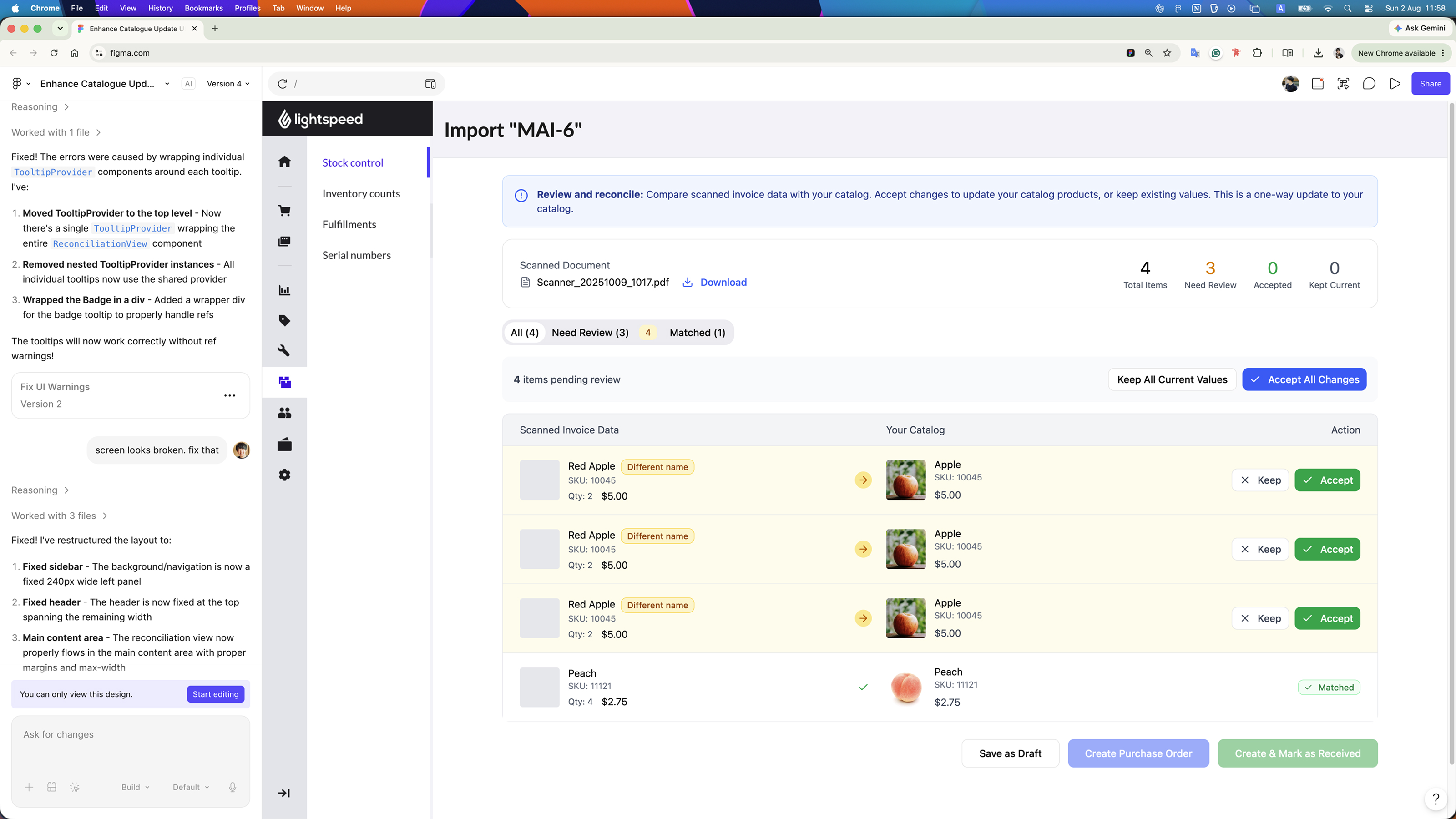
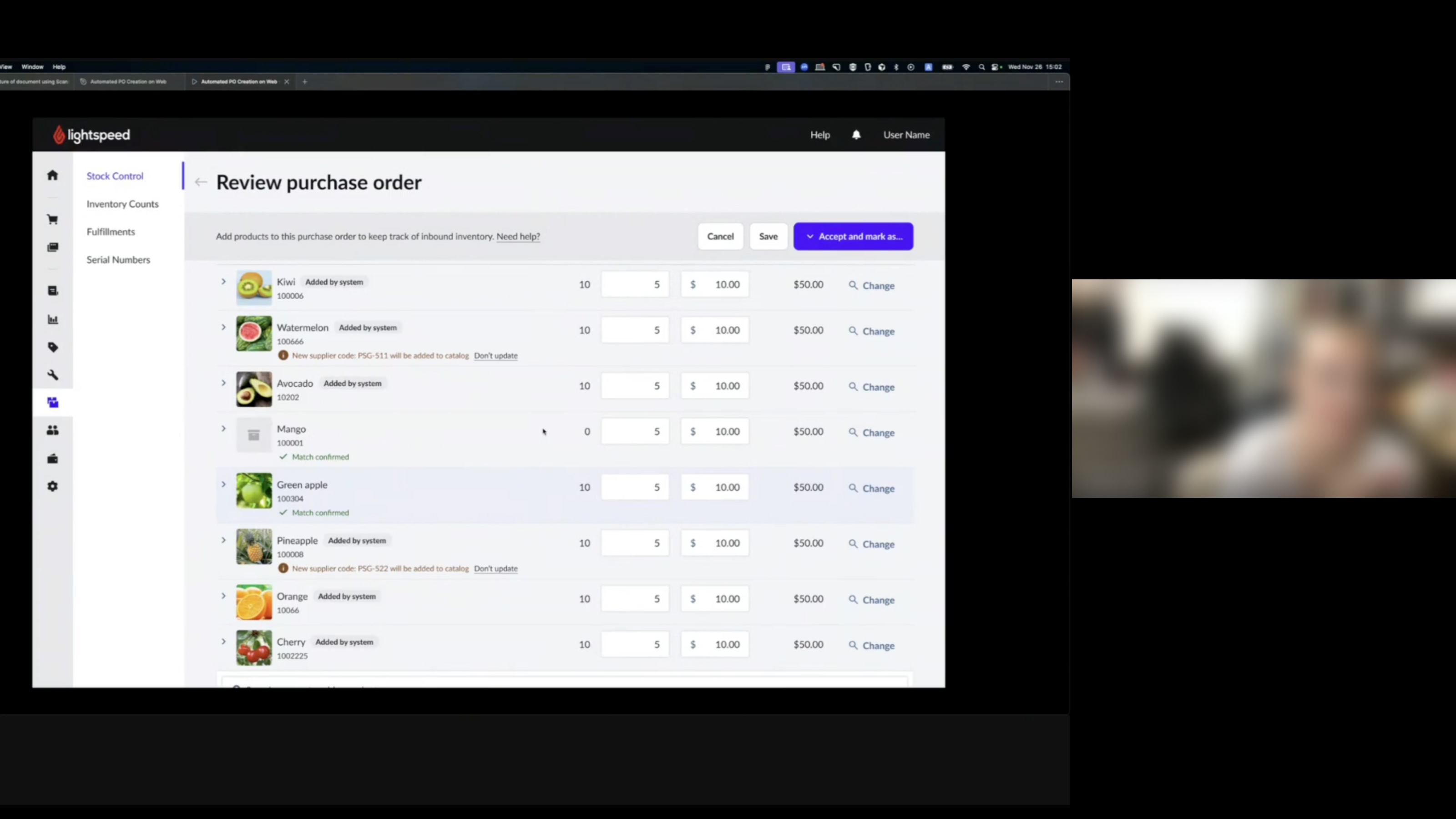
The decision: design the Web experience around the workflow we discovered, rather than force the problem into an existing UI.
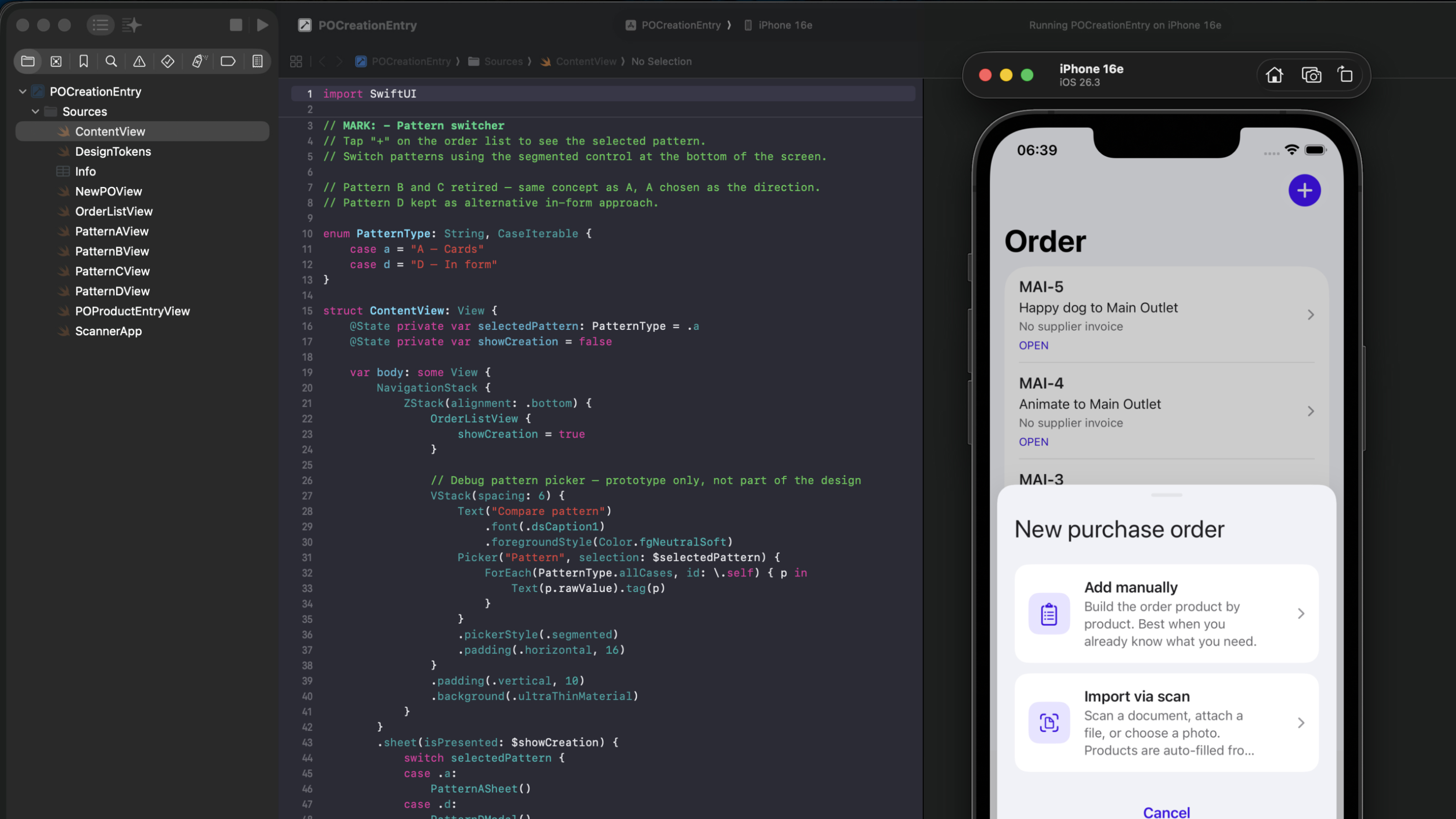
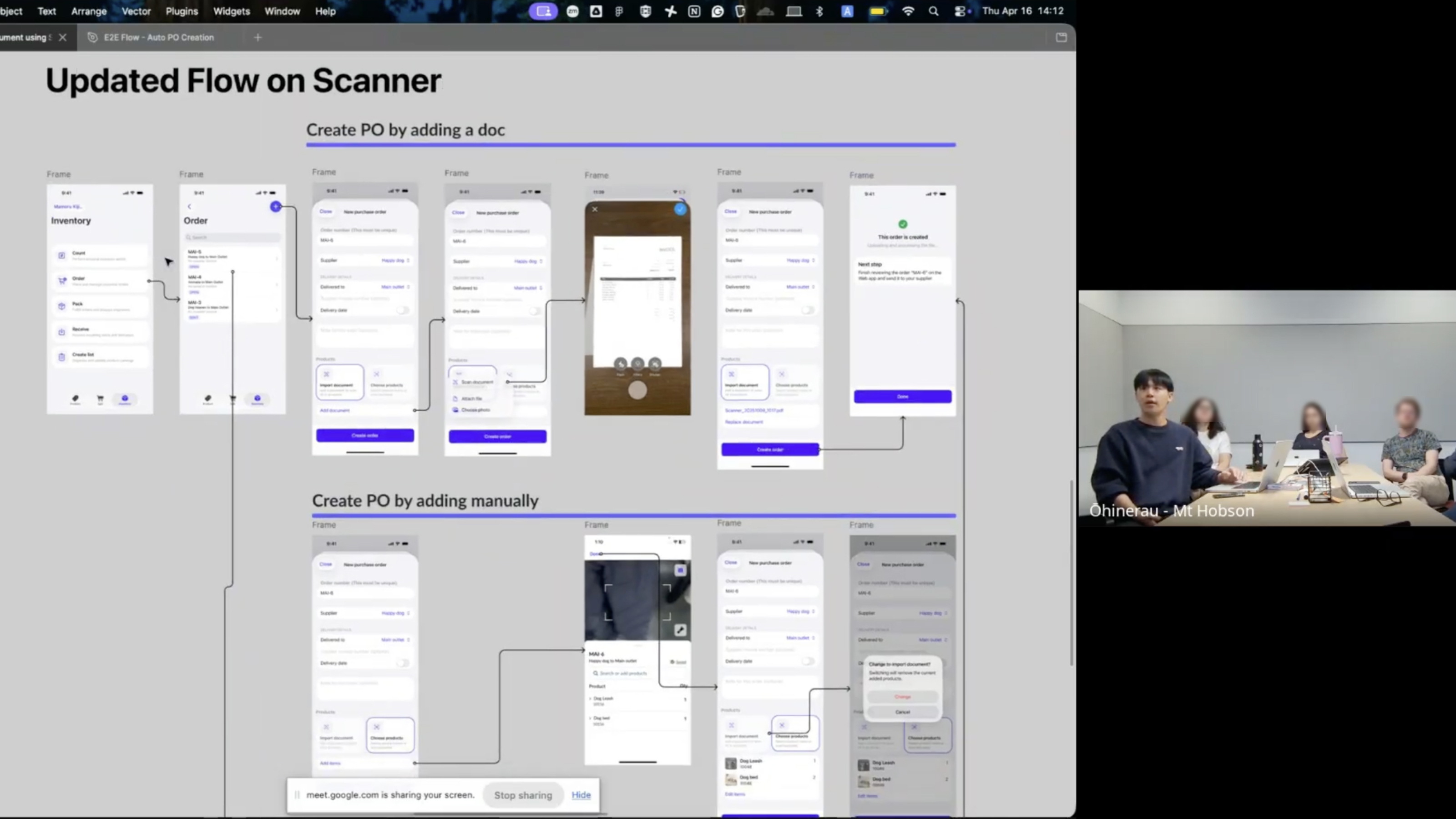
When I stepped back and looked at the end-to-end experience, Web alone was not enough. Merchants still needed a simple way to start the workflow where the physical work happened—using Scanner to create an order manually or capture a supplier document.
I designed the mobile flow around that hand-off: start the job in Scanner, let the system process the document, then continue the complex review on Web. I used AI-assisted prototyping to test native behaviour faster, but the product decision was about giving each surface a clear role.
We chose Concept B because it created a stronger foundation for future workflows.
Separating matching into its own workspace gave the team clearer technical boundaries, kept the Purchase Order focused, and created room to support more document-based workflows over time.
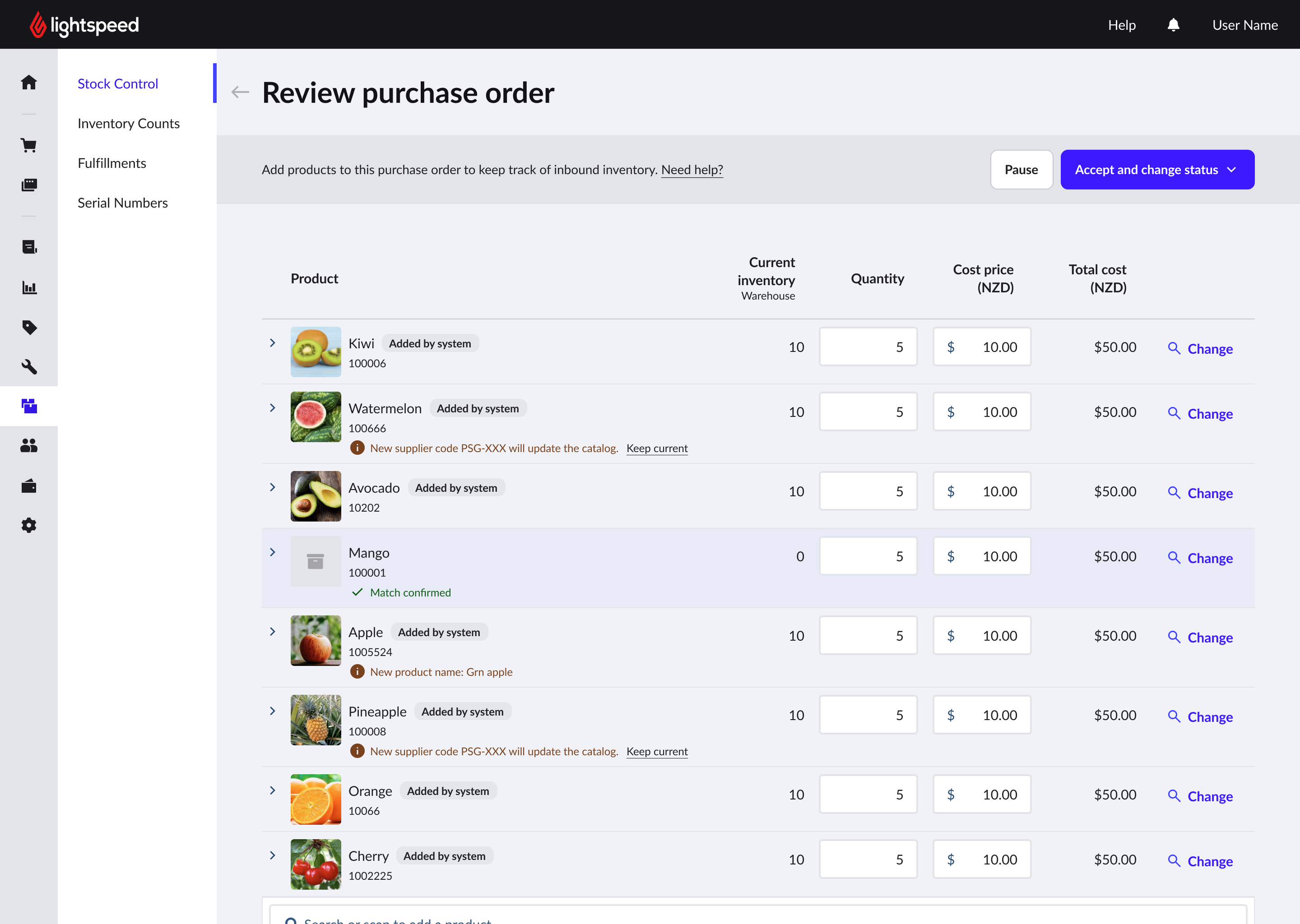
Fewer transitions, familiar context, and a direct path from imported data to an editable order.
Matching states, exceptions, and catalogue changes crowded the core Purchase Order experience.
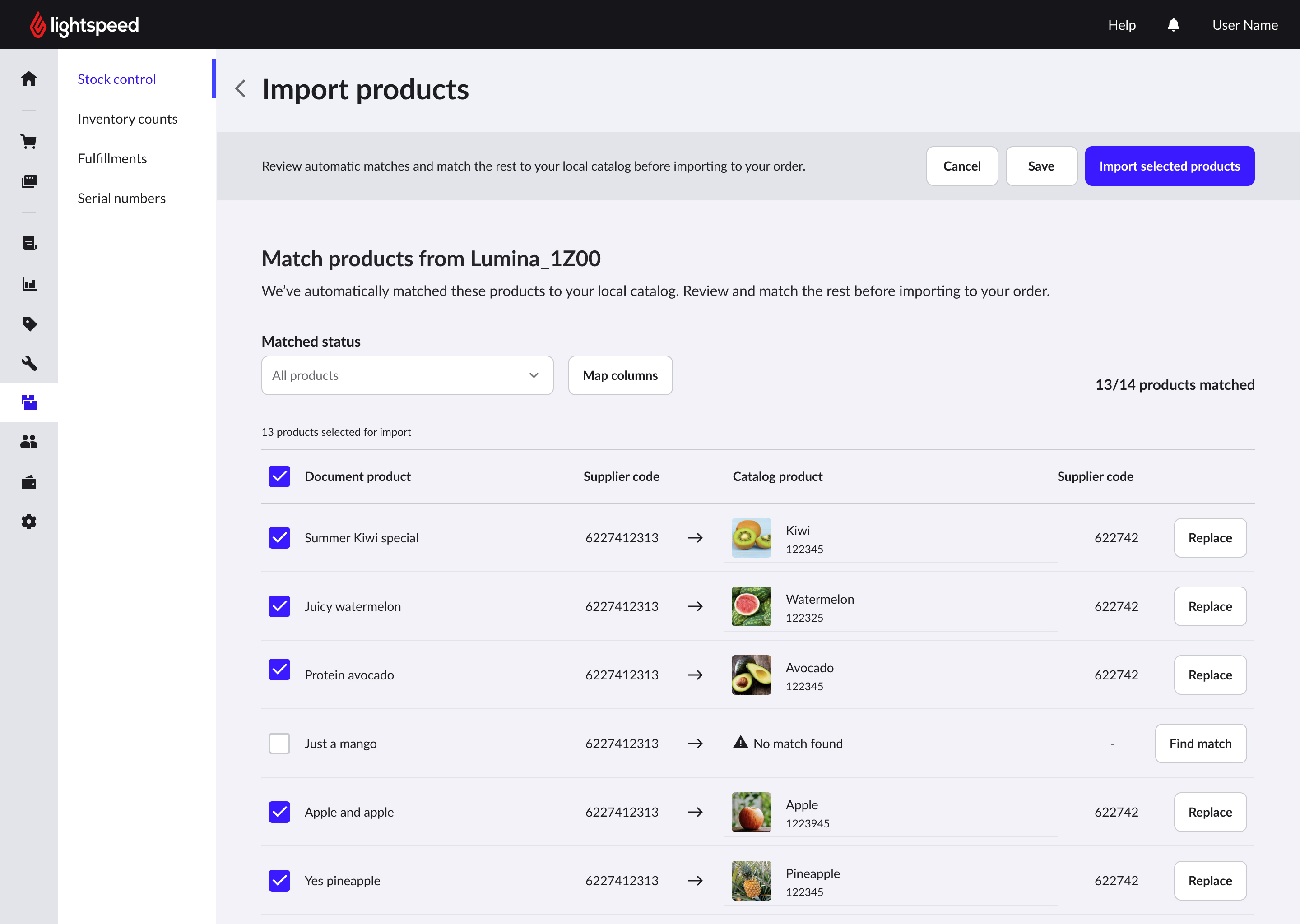
Clear ownership of matching, better support for exceptions, and room to reuse the capability across future workflows.
Added one more step and required a clear hand-off back into the Purchase Order.
Merchants used the connected workflow to turn supplier documents into editable Purchase Orders.
One connected workflow across Scanner and Web—from capture to matching and review.
“Absolutely game changing. It’s cut down hours of my work to about 10 minutes.”
“Worked perfectly as designed. Order loaded exactly.”
“This has been extremely useful and we hope that it will continue to be offered even after beta.”
“Very easy and eliminates me from having to convert a PDF into CSV or Excel to import.”
Understanding the workflow shaped every design decision that followed.
It could already do the work.
Nobody could read what it said.
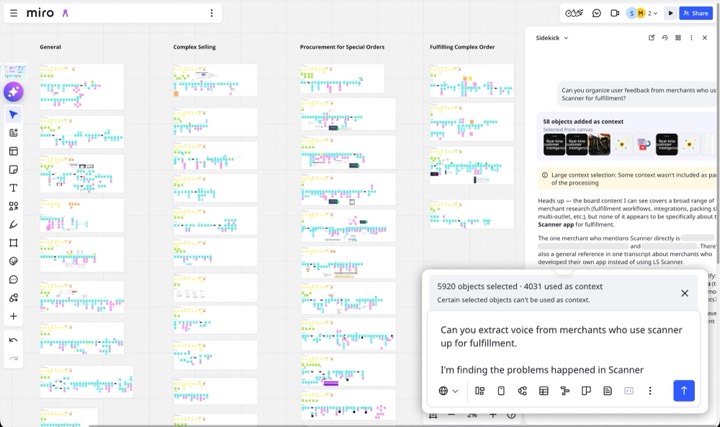
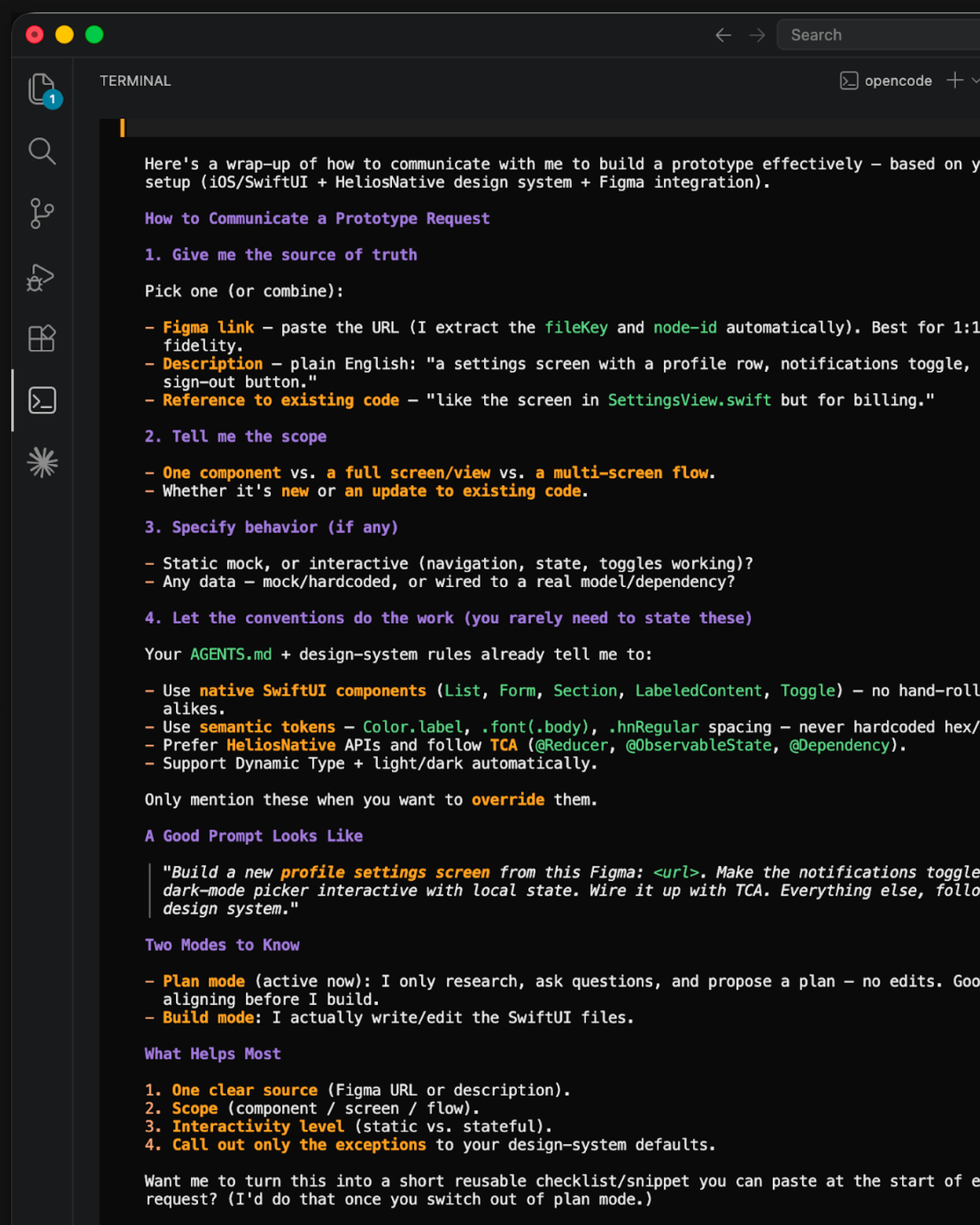
AI helps me explore, challenge assumptions, and validate earlier.
See how I use AI →